This blog post demonstrates how to replicate the behavior of ChatGPT using Meta’s LLaMA 3.2 1B Instruct model through the 🤗 Hugging Face transformers library.
In this educational walkthrough, you’ll learn how to:
📌 Use Case: Ideal for learners and developers curious about how instruction-following LLMs like ChatGPT work under the hood.
transformerstorchHugging Face account with access tokenmeta-llama/Llama-3.2-1B-Instruct
ChatGPT is a Large Language Model (LLM) developed by OpenAI, built on the GPT (Generative Pre-trained Transformer) architecture. It’s designed to generate human-like responses to text input, making it versatile for a range of tasks like answering questions, providing recommendations, and even engaging in casual conversation.
By leveraging extensive training on diverse datasets, ChatGPT can generate coherent and contextually relevant replies based on the input it receives.
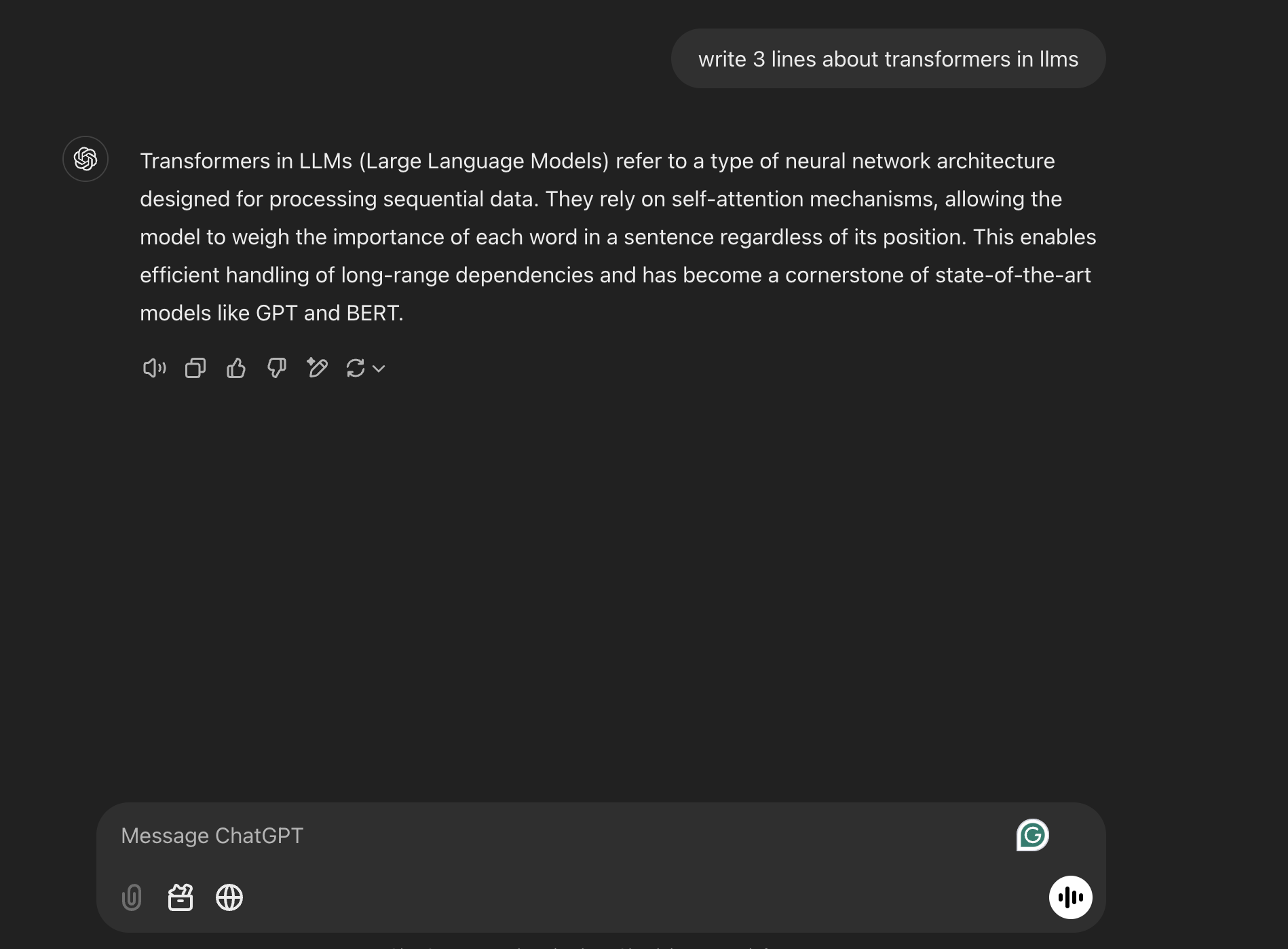
🖼️ In the screenshot below, you’ll see an example of how users interact with ChatGPT by asking it a question, and how it responds using its pre-trained knowledge.
While ChatGPT provides an easy-to-use interface for interacting with a language model, there’s a lot happening behind the scenes. To understand how the magic works, let’s dive deeper into how large language models (LLMs) are deployed using frameworks like Hugging Face’s transformers library.
Hugging Face is an open-source platform and community for Natural Language Processing (NLP), offering a vast collection of pre-trained models and tools to streamline AI development.
Its transformers library provides easy access to cutting-edge large language models like GPT, BERT, and LLaMA for tasks such as:
To replicate the internal workings of ChatGPT, we use Meta’s LLaMA Instruct model, particularly the LLaMA 3.2 1B version — fine-tuned for instruction-following tasks.
This model is designed to:
Let’s now look at how to load and use the LLaMA Instruct model with Hugging Face’s pipeline() function for text generation.
🔍 This gives us a close approximation to how ChatGPT-style systems work under the hood!
To use Hugging Face models, you need to authenticate using your personal access token.
from huggingface_hub import login
# Replace 'your_access_token' with your actual Hugging Face token
login("your_access_token")
Output
The token has not been saved to the git credentials helper. Pass `add_to_git_credential=True` in this function directly or `--add-to-git-credential` if using via `huggingface-cli` if you want to set the git credential as well.
Token is valid (permission: write).
Your token has been saved to /root/.cache/huggingface/token
Login successful
import torch
from transformers import pipeline

model_id = "meta-llama/Llama-3.2-1B-Instruct"
pipe = pipeline(
    "text-generation",
    model=model_id,
    torch_dtype=torch.bfloat16,
    device = 0
)


messages = [
    {"role": "system", "content": "You are an intelligent assistant trained to follow user instructions and provide accurate, concise, and helpful responses."},
    {"role": "user", "content": "write 3 lines about transfromers in llms"},
]

outputs = pipe(
    messages,
    max_new_tokens=256,
)
print(outputs[0]["generated_text"][-1]['content'])
Output
Setting `pad_token_id` to `eos_token_id`:128001 for open-end generation.
Here are three lines about transformers in LLMs (Large Language Models):

Transformers in LLMs are a type of neural network architecture that enables efficient and effective natural language processing tasks, such as text classification, sentiment analysis, and machine translation. These models consist of multiple layers of self-attention mechanisms, enabling them to process sequential data in parallel and learn complex patterns. By leveraging the strengths of transformers, LLMs have become a popular choice for a wide range of applications, including language translation, question answering, and text summarization.
Define the Chat Template
A structured message format is prepared with roles like system and user. This ensures the model follows the conversation context properly.
Tokenization
The input text is broken into smaller units called tokens (e.g., words, subwords, or characters). This is necessary for the model to process text effectively.
Model Processing
The tokens are fed into the LLaMA model, which uses its pre-trained knowledge and a transformer architecture with self-attention to understand the context and relationships between tokens.
Text Generation
The model predicts the next tokens iteratively, using sampling techniques like top-k and top-p to ensure coherent and diverse outputs.
Detokenization
The generated tokens are converted back into readable text to form the final response.
import torch
from transformers import AutoModelForCausalLM, AutoTokenizer
model_id = "meta-llama/Llama-3.2-1B-Instruct"

model = AutoModelForCausalLM.from_pretrained(model_id)
tokenizer = AutoTokenizer.from_pretrained(model_id)
model.to('cuda')

messages = [
    {"role": "system", "content": "You are an intelligent assistant trained to follow user instructions and provide accurate, concise, and helpful responses."},
    {"role": "user", "content": "write 3 lines about transfromers in llms"},
]


# 2: Apply the chat template
formatted_chat = tokenizer.apply_chat_template(messages, tokenize=False, add_generation_prompt=True)


# 3: Tokenize the chat (This can be combined with the previous step using tokenize=True)
inputs = tokenizer(formatted_chat, return_tensors="pt", add_special_tokens=False)


# Move the tokenized inputs to the same device the model is on (GPU/CPU)
inputs = {key: tensor.to(model.device) for key, tensor in inputs.items()}


# 4: Generate text from the model
outputs = model.generate(**inputs, max_new_tokens=512, temperature=0.1)


# 5: Decode the output back to a string
decoded_output = tokenizer.decode(outputs[0][inputs['input_ids'].size(1):], skip_special_tokens=True)
print(decoded_output)
Output
Here are three lines about transformers in LLMs:

Transformers in Large Language Models (LLMs) are a type of neural network architecture that enables them to process and understand complex linguistic relationships. They are particularly effective in tasks such as language translation, text summarization, and question-answering. By leveraging the power of self-attention mechanisms and position embeddings, LLMs with transformer architectures can generate highly accurate and coherent text outputs.
Prompt Template
The prompt template defines the structure of the conversation, including roles like system (instructions for the assistant) and user (the input question).
This helps guide the model to generate responses effectively.
The tokenizer used by Hugging Face only accepts str input — not dict.
Applying a chat template converts the structured message into a formatted string internally before tokenization.
messages = [
    {"role": "system", "content": "You are an intelligent assistant trained to follow user instructions and provide accurate, concise, and helpful responses."},
    {"role": "user", "content": "write 3 lines about transfromers in llms"},
]

# 2: Apply the chat template
formatted_chat = tokenizer.apply_chat_template(messages, tokenize=False, add_generation_prompt=True)
print(formatted_chat)
<|begin_of_text|><|start_header_id|>system<|end_header_id|>

Cutting Knowledge Date: December 2023
Today Date: 26 Jul 2024

You are an intelligent assistant trained to follow user instructions and provide accurate, concise, and helpful responses.<|eot_id|><|start_header_id|>user<|end_header_id|>

write 3 lines about transfromers in llms<|eot_id|><|start_header_id|>assistant<|end_header_id|>
This formatted string is what the model processes, including system, user, and assistant tags
# 3: Tokenize the chat (This can be combined with the previous step using tokenize=True)
inputs = tokenizer(formatted_chat, return_tensors="pt", add_special_tokens=False)

print(f"The tokenized inputs are :\n\n{inputs['input_ids']}")

print("\n")

print(f"The attention mask :\n\n{inputs['attention_mask']}")
The tokenized inputs are :

tensor([[128000, 128006,   9125, 128007,    271,  38766,   1303,  33025,   2696,
             25,   6790,    220,   2366,     18,    198,  15724,   2696,     25,
            220,   1627,  10263,    220,   2366,     19,    271,   2675,    527,
            459,  25530,  18328,  16572,    311,   1833,   1217,  11470,    323,
           3493,  13687,     11,  64694,     11,    323,  11190,  14847,     13,
         128009, 128006,    882, 128007,    271,   5040,    220,     18,   5238,
            922,   1380,   1527,    388,    304,   9507,   1026, 128009, 128006,
          78191, 128007,    271]])


The attention mask :

tensor([[1, 1, 1, 1, 1, 1, 1, 1, 1, 1, 1, 1, 1, 1, 1, 1, 1, 1, 1, 1, 1, 1, 1, 1,
         1, 1, 1, 1, 1, 1, 1, 1, 1, 1, 1, 1, 1, 1, 1, 1, 1, 1, 1, 1, 1, 1, 1, 1,
         1, 1, 1, 1, 1, 1, 1, 1, 1, 1, 1, 1, 1, 1, 1, 1, 1, 1]])
Tokenization is the process of breaking down text into smaller units called tokens, which can be words, subwords, or even characters.
Each token is then mapped to a unique numerical ID that the model can process.
This step is crucial because models like LLaMA operate on numerical data rather than raw text.
By understanding the token-to-ID mapping, we can see how the input text is transformed into a format the model can “read” and process effectively.
Let’s now see how each token is converted into numbers.
for i in range(len(inputs['input_ids'][0])):
    # print(inputs['input_ids'][i])
    print(f"{inputs['input_ids'][0][i]} ---------->  {tokenizer.decode(inputs['input_ids'][0][i])}\n")
Output
128000 ---------->  <|begin_of_text|>
128006 ---------->  <|start_header_id|>
9125   ---------->  system
...
78191 ---------->  assistant
128007 ---------->  <|end_header_id|>
Once the input has been tokenized and passed through the model, the text generation process begins.
The model uses its pre-trained knowledge and the context provided by the prompt to predict the next tokens step by step. This involves sampling strategies like:
These strategies ensure that the model generates coherent, diverse, and context-aware responses, rather than repeating generic or deterministic answers.
This is essentially the “magic moment” where your input transforms into intelligent, human-like output.
# Move the tokenized inputs to the same device the model is on (GPU/CPU)
inputs = {key: tensor.to(model.device) for key, tensor in inputs.items()}

outputs = model.generate(**inputs, max_new_tokens=512, temperature=0.1)
print(outputs)
Output
tensor([[128000, 128006,   9125, 128007,    271,  38766,   1303,  33025,   2696,
             25,   6790,    220,   2366,     18,    198,  15724,   2696,     25,
            220,   1627,  10263,    220,   2366,     19,    271,   2675,    527,
            459,  25530,  18328,  16572,    311,   1833,   1217,  11470,    323,
           3493,  13687,     11,  64694,     11,    323,  11190,  14847,     13,
         128009, 128006,    882, 128007,    271,   5040,    220,     18,   5238,
            922,   1380,   1527,    388,    304,   9507,   1026, 128009, 128006,
          78191, 128007,    271,   8586,    527,   2380,   5238,    922,  87970,
            304,    445,  11237,     82,   1473,   9140,    388,    304,  20902,
          11688,  27972,    320,   4178,  22365,      8,    527,    264,    955,
            315,  30828,   4009,  18112,    430,  20682,   1124,    311,   1920,
            323,   3619,   6485,  65767,  12135,     13,   2435,    527,   8104,
           7524,    304,   9256,   1778,    439,   4221,  14807,     11,   1495,
          29385,   2065,     11,    323,   3488,     12,    598,     86,   4776,
             13,   3296,  77582,    279,   2410,    315,    659,     12,  54203,
          24717,    323,   2361,  71647,     11,    445,  11237,     82,    449,
          43678,  78335,    649,   7068,   7701,  13687,    323,  56887,  16674,
             13, 128009]], device='cuda:0')
print(tokenizer.decode(outputs[0], skip_special_tokens=True))
Output
system

Cutting Knowledge Date: December 2023
Today Date: 26 Jul 2024

You are an intelligent assistant trained to follow user instructions and provide accurate, concise, and helpful responses.user

write 3 lines about transfromers in llmsassistant

Here are three lines about transformers in LLMs:

Transformers in Large Language Models (LLMs) are a type of neural network architecture that enables them to process and understand complex linguistic relationships. They are particularly effective in tasks such as language translation, text summarization, and question-answering. By leveraging the power of self-attention mechanisms and position embeddings, LLMs with transformer architectures can generate highly accurate and coherent outputs.
Let’s find what’s happening inside when you load a model from hugging face using model_id = "meta-llama/Llama-3.2-1B-Instruct"
after this model it will fetch all the required files from the repository
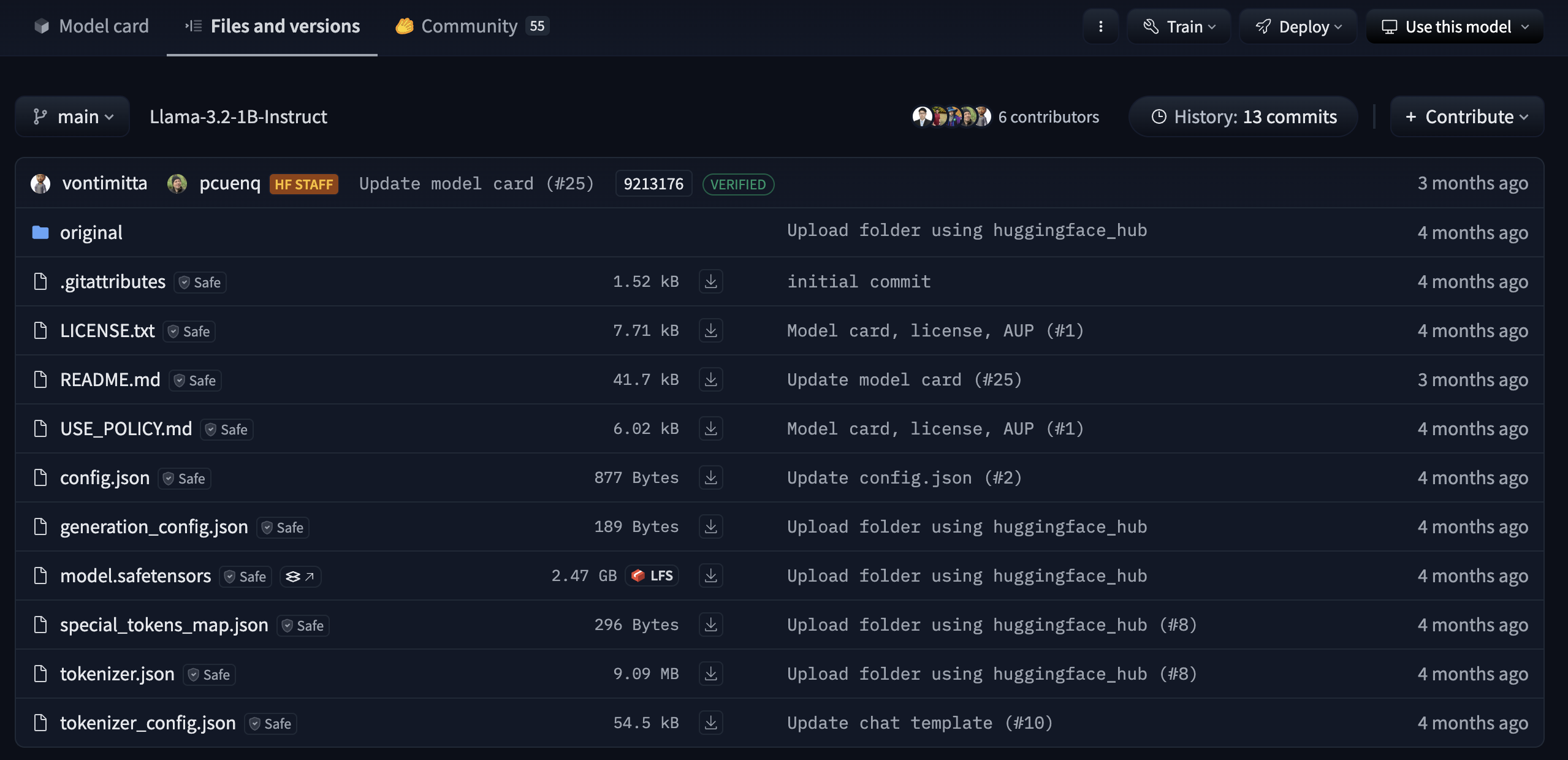
Figure: Files automatically downloaded when loading meta-llama/Llama-3.2-1B-Instruct from Hugging Face.
You can load models either from the Hugging Face Model Hub or from your local file path.
This is especially useful if you want to run everything completely offline—without requiring internet access after the initial download.
Let’s take a closer look at each file:
These files define the neural network structure and store the pre-trained weights.
pytorch_model.bin or model.safetensorsmodel
output
LlamaForCausalLM(
  (model): LlamaModel(
    (embed_tokens): Embedding(128256, 2048)
    (layers): ModuleList(
      (0-15): 16 x LlamaDecoderLayer(
        (self_attn): LlamaSdpaAttention(
          (q_proj): Linear(in_features=2048, out_features=2048, bias=False)
          (k_proj): Linear(in_features=2048, out_features=512, bias=False)
          (v_proj): Linear(in_features=2048, out_features=512, bias=False)
          (o_proj): Linear(in_features=2048, out_features=2048, bias=False)
          (rotary_emb): LlamaRotaryEmbedding()
        )
        (mlp): LlamaMLP(
          (gate_proj): Linear(in_features=2048, out_features=8192, bias=False)
          (up_proj): Linear(in_features=2048, out_features=8192, bias=False)
          (down_proj): Linear(in_features=8192, out_features=2048, bias=False)
          (act_fn): SiLU()
        )
        (input_layernorm): LlamaRMSNorm((2048,), eps=1e-05)
        (post_attention_layernorm): LlamaRMSNorm((2048,), eps=1e-05)
      )
    )
    (norm): LlamaRMSNorm((2048,), eps=1e-05)
    (rotary_emb): LlamaRotaryEmbedding()
  )
  (lm_head): Linear(in_features=2048, out_features=128256, bias=False)
)
config.json)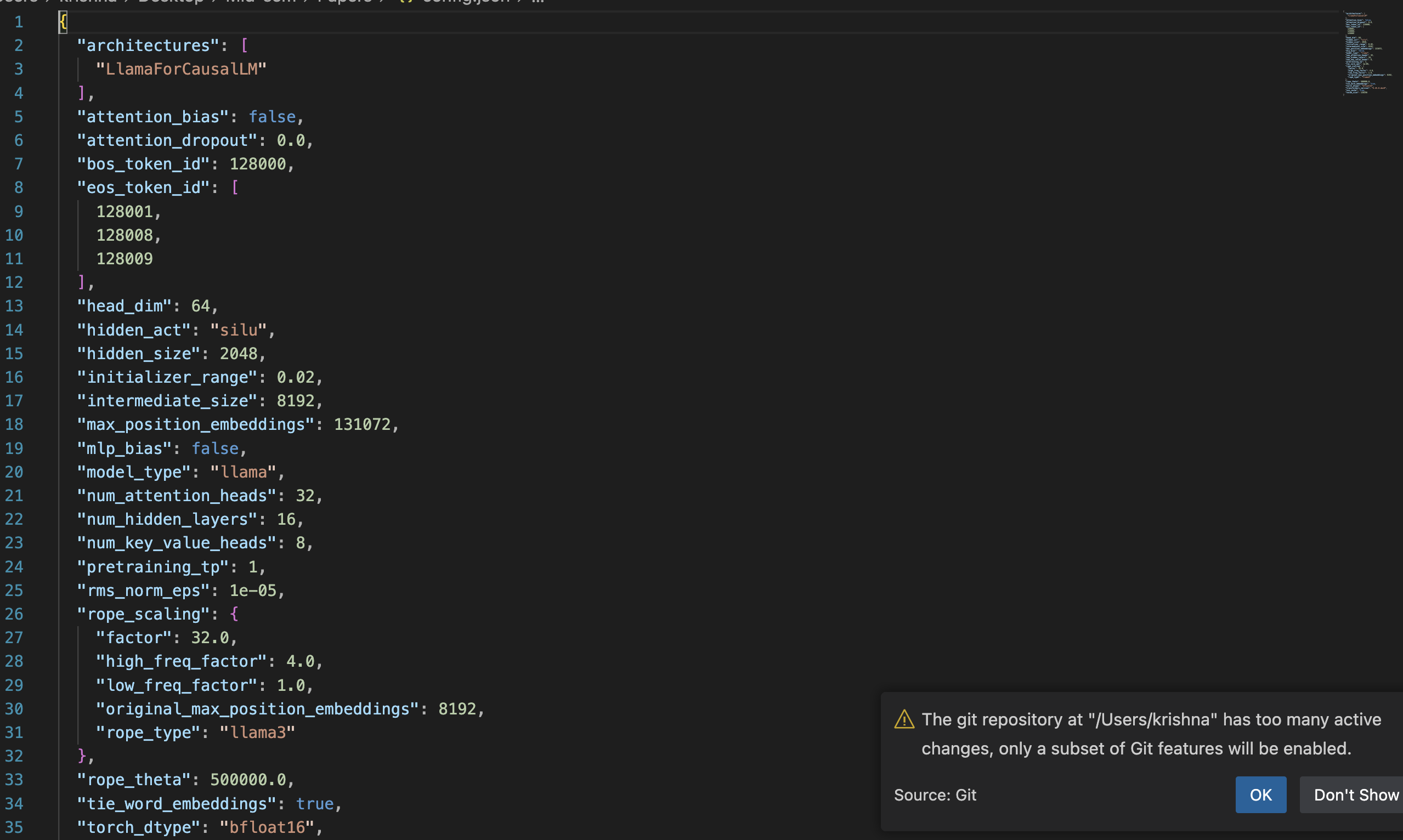
generation_config.json)temperature, top_k, and top_p control creativity, randomness, and diversity in the model’s responses.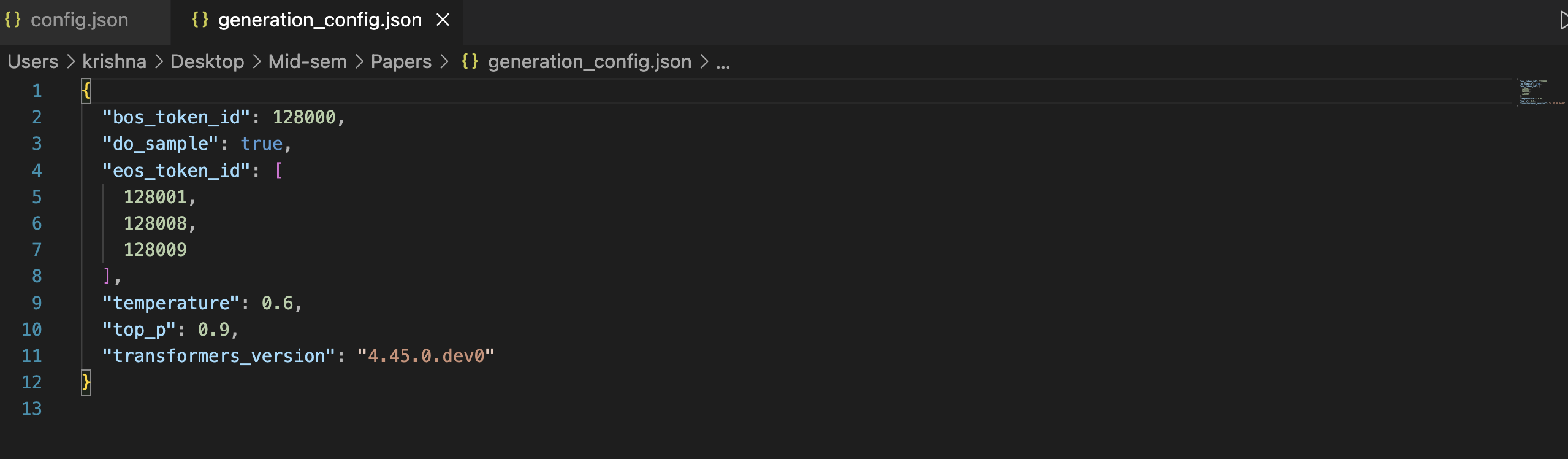
special_tokens_map.json)<pad>, <bos>, <eos>) are represented in the model’s vocabulary.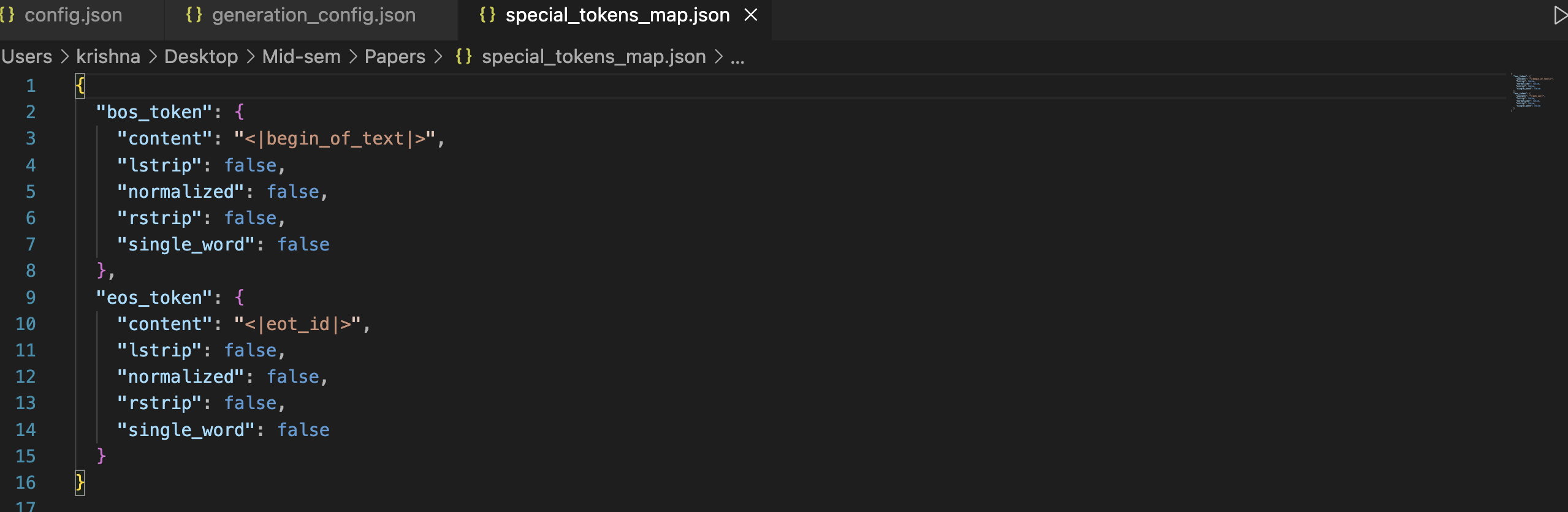
tokenizer.json)tokenizer.json file must be used during both training and inference to guarantee correct tokenization and detokenization.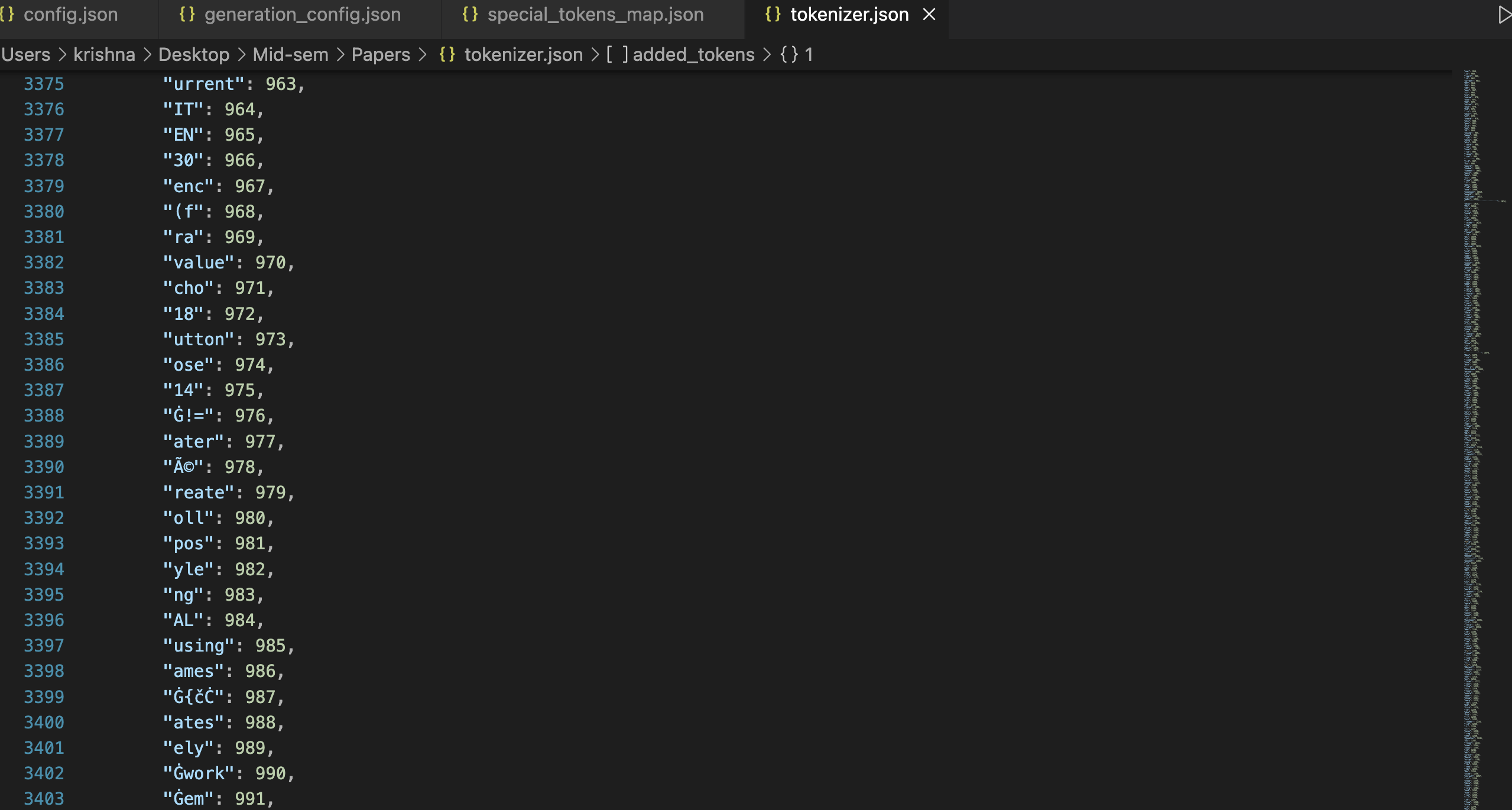
tokenizer_config.json)<bos>, <eos>, <pad>, and <unk> to their respective IDs, ensuring consistent processing.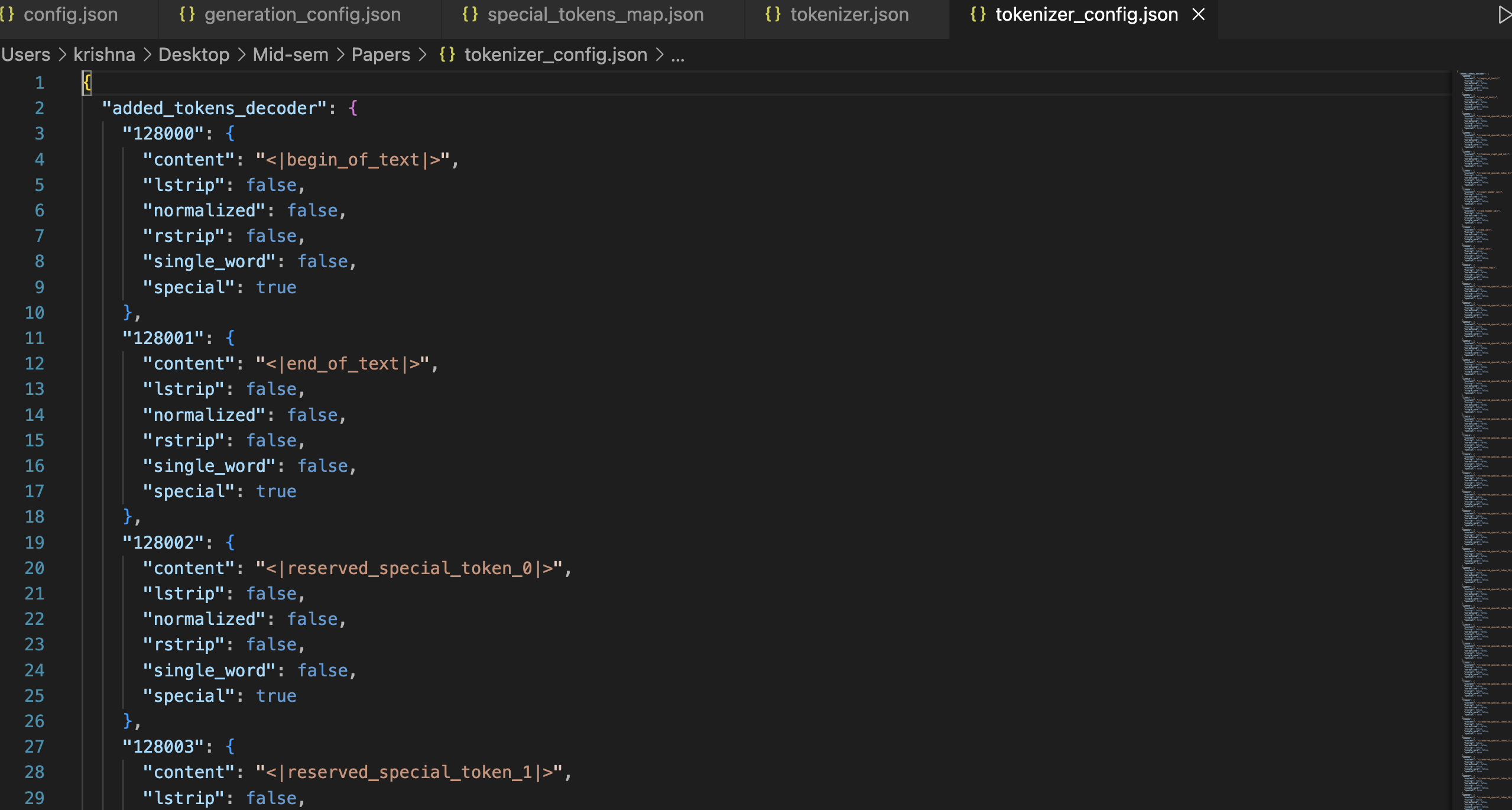
In this blog, we explored the internal workings of ChatGPT-style models using Meta’s LLaMA 3.2 1B Instruct model. By replicating the behavior of a chat pipeline using Hugging Face’s transformers library, we gained insight into:
Understanding these components gives you a deeper appreciation of what happens behind the scenes when you interact with tools like ChatGPT. Whether you’re deploying models locally or using the Hugging Face hub, this knowledge empowers you to fine-tune, customize, or debug LLM behavior effectively.
Stay tuned for more deep dives into LLM internals and practical AI workflows 🚀
📘 View the Full Notebook on GitHub
If you’d like to explore the code and outputs interactively, you can find the complete Jupyter Notebook here: